
If you’ve ever tried to scale up a blurry logo or print a low-resolution image on a banner, you already know why Vector Artwork Conversion is such a big deal. In today’s design-driven world, businesses need artwork that looks razor-sharp on everything from business cards and T-shirts to billboards and embroidery machines. Vector conversion transforms pixel-based images into clean, scalable graphics that never lose quality, no matter how large or small you go.
In this complete guide, we’ll break down what vector artwork conversion really is, why it matters for printing, embroidery, and digital design, how the process works, common mistakes to avoid, and how you can get the best results every time.
What Is Vector Artwork Conversion?
Vector artwork conversion is the process of turning raster images (like JPG, PNG, BMP, or TIFF files) into vector formats such as:
- AI
- EPS
- SVG
- PDF (vector-based)
- DXF
Unlike raster images, which are made of pixels, vector graphics are built using mathematical paths, curves, and points. That means they can be resized infinitely without losing clarity.
In simple terms:
- Raster = pixels + blur when enlarged
- Vector = clean lines + perfect scaling
Why Vector Artwork Conversion Is Essential Today
Modern businesses use the same logo across dozens of platforms. Without vector artwork, maintaining quality becomes nearly impossible. Here’s why vector conversion is so important:
- Ensures print-ready quality
- Delivers sharp embroidery results
- Enables precise cutting and engraving
- Keeps branding consistent
- Prevents pixelation on large prints
- Saves time in production workflows
Whether you’re running a print shop, embroidery business, or online brand, vector files are the foundation of professional design output.
Raster vs Vector: What’s the Difference?
Let’s simplify the difference:
Feature | Raster Image | Vector Artwork |
Made of | Pixels | Paths & curves |
Scalability | Loses quality | Infinitely scalable |
File Types | JPG, PNG, BMP, TIFF | AI, EPS, SVG, PDF |
Best For | Photos | Logos, line art, illustrations |
Print Quality | Can blur | Always crisp |
If your design is going to be printed, stitched, cut, or engraved vector is the right choice.
Vector Artwork Conversion for Printing
Printing requires precision. Even slight blurriness shows up on paper, vinyl, or packaging. Vector conversion ensures:
- Clean edges on large banners
- Sharp details on business cards
- Smooth gradients and color separation
- Accurate spot color printing
- Perfect screen printing output
For offset, screen, DTG, and UV printing, vector files reduce production errors and reprints.
Vector Artwork Conversion for Embroidery
Embroidery machines don’t read normal image files—they need stitch data. While embroidery digitizing handles stitches, vector artwork plays a critical role before that step.
Vector files help by:
- Providing clean shape outlines
- Maintaining uniform line thickness
- Preventing jagged edges
- Allowing easier stitch path planning
Digitizers almost always prefer vector files because they reduce digitizing time and improve stitch accuracy.
Vector Artwork Conversion for Digital Design
Even in the digital world, vectors dominate:
- Website icons
- Mobile app graphic
- UI elements
- Motion graphics
- Social media logos
- NFT and game assets
Since vectors maintain clarity on any screen resolution, they’re ideal for modern responsive web design.
How Vector Artwork Conversion Works (Step by Step)
Here’s what a professional vector conversion process usually looks like:
Step 1: Artwork Evaluation
The original image is checked for:
- Resolution
- Noise
- Color complexity
- Sharpness
- Number of details
Step 2: Cleanup & Preparation
The designer:
- Removes background noise
- Sharpens fuzzy edges
- Adjusts contrast
- Fixes broken outlines
Step 3: Manual or Semi-Auto Tracing
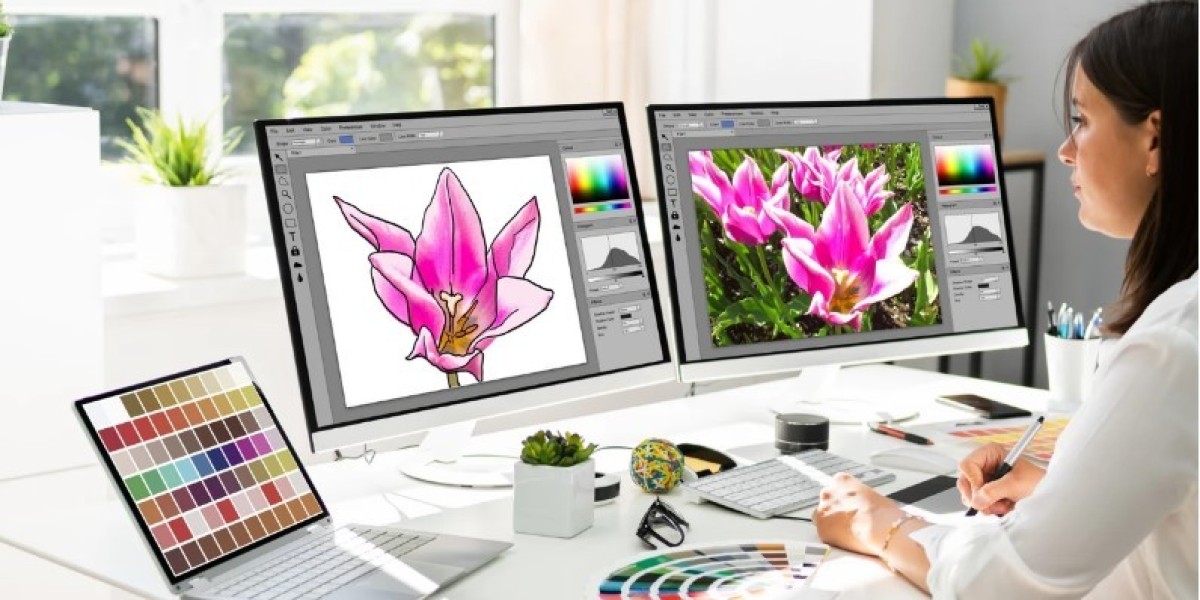
Using tools like Adobe Illustrator:
- Shapes are traced
- Colors are recreated
- Paths are refined
- Curves are smoothed
Step 4: Color Matching
Original brand colors are matched using:
- CMYK
- RGB
- Pantone
Step 5: Final Vector Export
The finished design is exported in AI, EPS, SVG, or PDF format.
Auto-Trace vs Manual Vector Conversion
Many people try quick auto-trace tools, but here’s the reality:
Auto-Trace Pros:
- Fast
- Cheap
- Good for simple icons
Auto-Trace Cons:
- Messy paths
- Excess anchor points
- Poor curve accuracy
- Bad for printing & embroidery
Manual Vector Conversion Pros:
- Clean paths
- Perfect curves
- Print and stitch ready
- Fully editable
For high-quality branding work, manual vector conversion always delivers superior results.
Common File Types That Need Vector Conversion
You’ll typically need vector conversion if your artwork is in:
- JPG or JPEG
- PNG
- BMP
- GIF
- Low-res PDF
- Screenshot images
- WhatsApp or social media logos
These formats look fine on screens but fail in production environments.
Industries That Rely on Vector Artwork Conversion
Vector conversion supports countless industries, including:
- Apparel & fashion
- Embroidery & patches
- Screen printing
- Sign making
- Laser engraving
- CNC cutting
- Promotional products
- Packaging design
- Marketing & branding
If it’s printed, stitched, cut, or engraved it probably needs to be vector.
Benefits of Professional Vector Artwork Conversion
Here’s what you gain with expert conversion:
- Perfect scalability
- Sharp edge definition
- Precise color control
- Easy editing
- Production-ready output
- Reduced reprints and waste
- Consistent brand presentation
It’s an investment that pays off long term.
Vector Conversion for Screen Printing
For screen printing, vector files allow:
- Clean color separations
- Accurate trapping
- Smooth halftones
- Consistent ink coverage
Raster files often cause muddy prints and color bleeding. With vector artwork, your prints stay sharp even after hundreds of washes.
Vector Conversion for Laser Cutting & Engraving
Machines like laser cutters and CNC routers rely strictly on vector paths. Clean vector files ensure:
- Correct cutting depth
- Smooth engraving edges
- Accurate sizing
- Reduced material waste
Without vector output, cutting machines simply can’t function properly.
Common Mistakes to Avoid in Vector Artwork Conversion
Here are mistakes that can ruin production quality:
- Using low-resolution source images
- Relying only on auto-trace
- Ignoring color accuracy
- Creating too many anchor points
- Over-smoothing important details
- Saving in incorrect file formats
Professional vector work is all about balance precision without losing detail.
How to Prepare Artwork for Vector Conversion
Before sending your file for conversion:
- Use the highest resolution image available
- Avoid heavy compression
- Keep colors as flat as possible
- Separate overlapping elements
- Remove unnecessary effects
- Provide brand color references if available
Better source files always lead to better vector results.
Vector Artwork Conversion for Logos
Logos are the most common conversion request. A properly converted vector logo ensures:
- Perfect embroidery digitizing
- Clean print on promotional items
- Crystal-clear signage
- Consistent online branding
Once created, a vector logo becomes your brand’s master file for all future projects.
Turnaround Time for Vector Artwork Conversion
Turnaround time usually depends on:
- Image complexity
- Number of colors
- Level of detail
- Required file formats
- Manual refinement needs
Simple logos can often be converted within hours, while detailed illustrations may take longer.
Vector Artwork Conversion for Multi-Use Designs
One of the biggest advantages of vector artwork is that one file can be used for:
- Embroidery digitizing
- Business card printing
- Large banners
- Vehicle wraps
- Social media branding
- Packaging design
That flexibility saves time, money, and future redesign costs.
Pricing Factors for Vector Artwork Conversion
Costs may vary based on:
- Design complexity
- Number of colors
- File size
- Tracing difficulty
- Rush deliver
- Revisions required
Simple line logos cost less, while detailed illustrations require more time and expertise.
Why Quality Matters More Than Speed
Cheap, rushed vector conversion often leads to:
- Jagged edges
- Misshaped curves
- Poor color consistency
- Production headaches
- Embroidery digitizing errors
- Failed laser cutting jobs
Spending a little more on correct vector artwork saves a lot in production losses later.
The Future of Vector Artwork Conversion
As design technology evolves, vector conversion continues to improve with:
- Smarter AI-assisted tracing
- Better curve optimization
- Cloud-based design collaboration
- Faster production workflows
But even with AI tools, human expertise remains critical for branding-level accuracy.
Final Thoughts
Whether you’re printing business cards, digitizing logos for embroidery, creating signage, or designing for digital platforms, Vector Artwork Conversion is the invisible hero behind professional-quality results. It ensures your designs stay crisp, scalable, editable, and production-ready across all formats. If you want artwork that prints clean, stitches smoothly, and scales flawlessly without compromise, expert vector conversion is the way to go. And when you’re ready for dependable quality, precise detailing, and production-ready vectors you can trust, professionals like Absolute Digitizer deliver results that truly stand out.